
RA8889/RA8876显示自定义ASCII字符方法
2024-04-02
本文介绍用户自己生成的ASCII字库如何通过RA8889/RA8876显示到液晶屏上。
先上一张实例效果图:
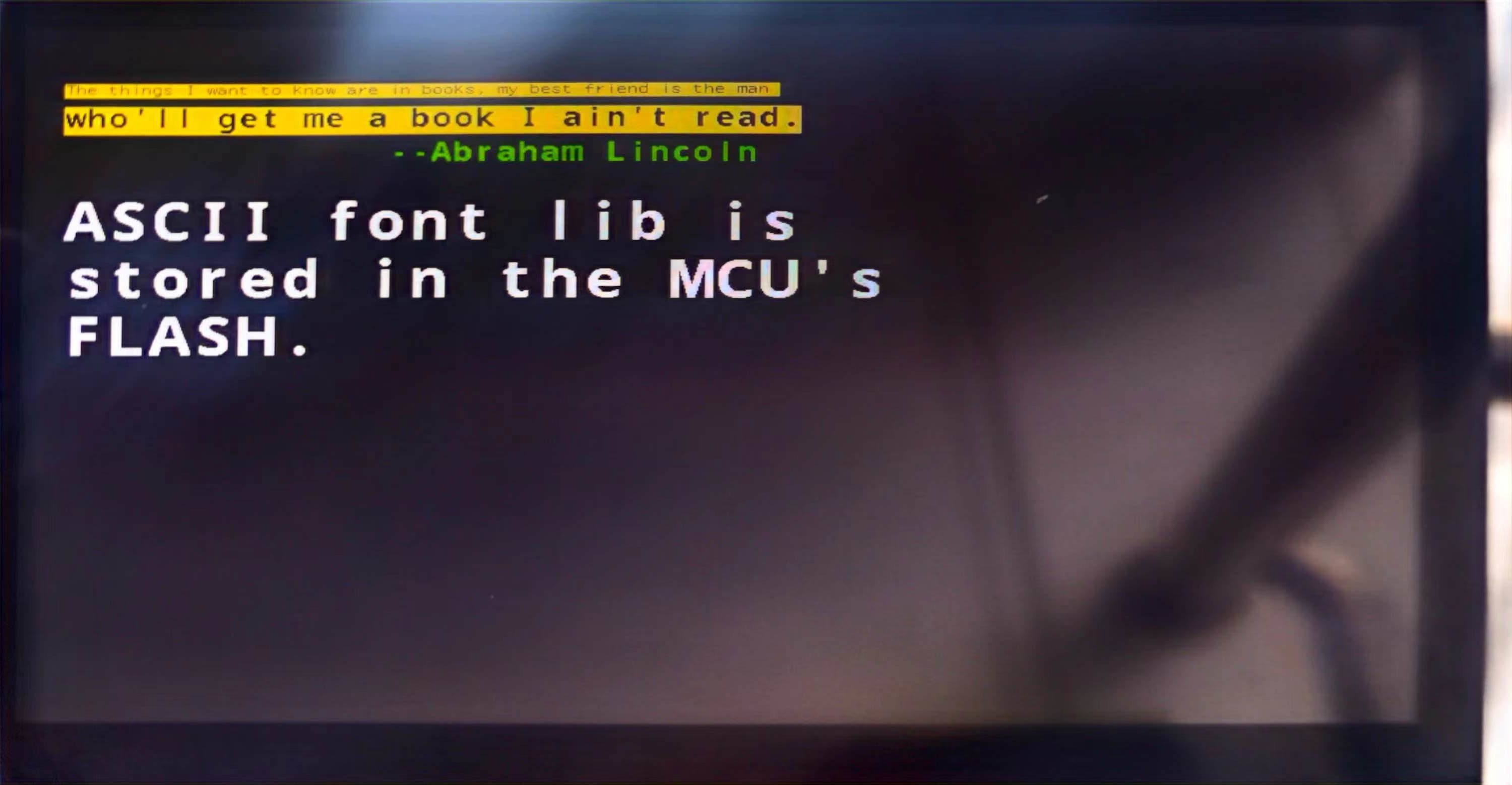
再上程序代码:
**
int main(void)
{

 unsigned short x,y;


 /* System Clocks Configuration */

 RCC_Configuration();

 delay_init(72);

 GPIO_Configuration();

 //NVIC_Configuration();

 //SPI_Peripheral_Init();


 /* Enable the FSMC Clock */

 RCC_AHBPeriphClockCmd(RCC_AHBPeriph_FSMC, ENABLE);

 delay_ms(1);

 FSMC_LCD_Init_H();

 /*RA8889初始化*/

 RA8889_Initial();


 /*清屏,填充黑色0x0*/

 BTE_Solid_Fill(0,canvas_image_width,0,0,0x0,LCD_Width,LCD_Height);


 /*MCU写入ASCII字符功能例程测试,不支持MCU_16bit_ColorDepth_24bpp_Mode_1 */

 x=30;

 y=50;

 lcdPutString8x12(x,y,color65k_black,color65k_yellow,0,"The things I want to know are in books, my best friend is the man ");

 lcdPutString16x24(x,y+20,color65k_black,color65k_yellow,0,"who'll get me a book I ain't read.");

 lcdPutString16x24(x+16*14,y+50,color65k_green,color65k_yellow,1," --Abraham Lincoln ");

 lcdPutString32x48(x,y+100,color65k_white,color65k_yellow,1,"ASCII font lib is ");

 lcdPutString32x48(x,y+150,color65k_white,color65k_yellow,1,"stored in the MCU's");

 lcdPutString32x48(x,y+200,color65k_white,color65k_yellow,1,"FLASH.");

 while(1);

}
程序流程图:
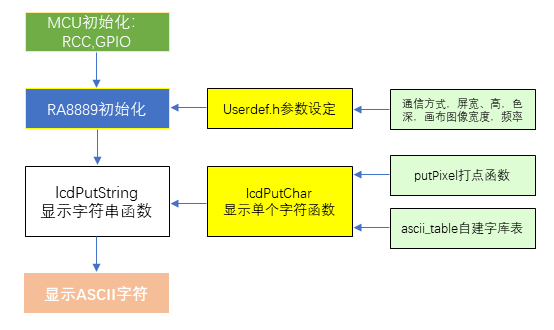
该方法是将制作好的ASCII字库放在MCU的FLASH中进行引用,字符数量为95个,编码区间0x20~0x7E,通过编码即可索引,并调用相应的数据,通过RA8889/RA8876描点显示出来。
↓↓↓↓↓↓ 底部提供源程序下载。 ↓↓↓↓↓↓
分享到: